



Press play to start listening
Disclosure: This article was created in collaboration with Wondershare
Creating a video without constantly switching between platforms often means juggling multiple tools for writing, image generation, character design, video creation, and editing. Wondershare Media.io, the all-in-one AI creative platform by Wondershare, brings these steps together in one guided creation experience.
Its AI Story Studio allows creators to generate story ideas, build characters, design storyboards, and produce videos while reducing the need to switch between multiple platforms.
Why Does Creating an AI Story Video Require So /any Tools?
AI has made video creation more accessible than ever, but for many creators, the process is still far from simple.
A typical AI storytelling workflow might involve using one tool to brainstorm ideas and write the script, another to generate character images, a third to create video clips, and yet another application to edit everything together. While each tool may perform its task well, moving between multiple platforms often interrupts the creative process and makes even a short story surprisingly time-consuming to produce.
Instead of focusing on storytelling, creators end up spending more time exporting files, rewriting prompts, and keeping characters and scenes consistent across different tools.
This is exactly the challenge Wondershare Media.io AI Story Studio is designed to solve.
How Does AI Story Studio Simplify the Workflow?
Rather than functioning as another text-to-video generator, Wondershare Media.io’s AI Story Studio guides creators through the entire storytelling process in one place.
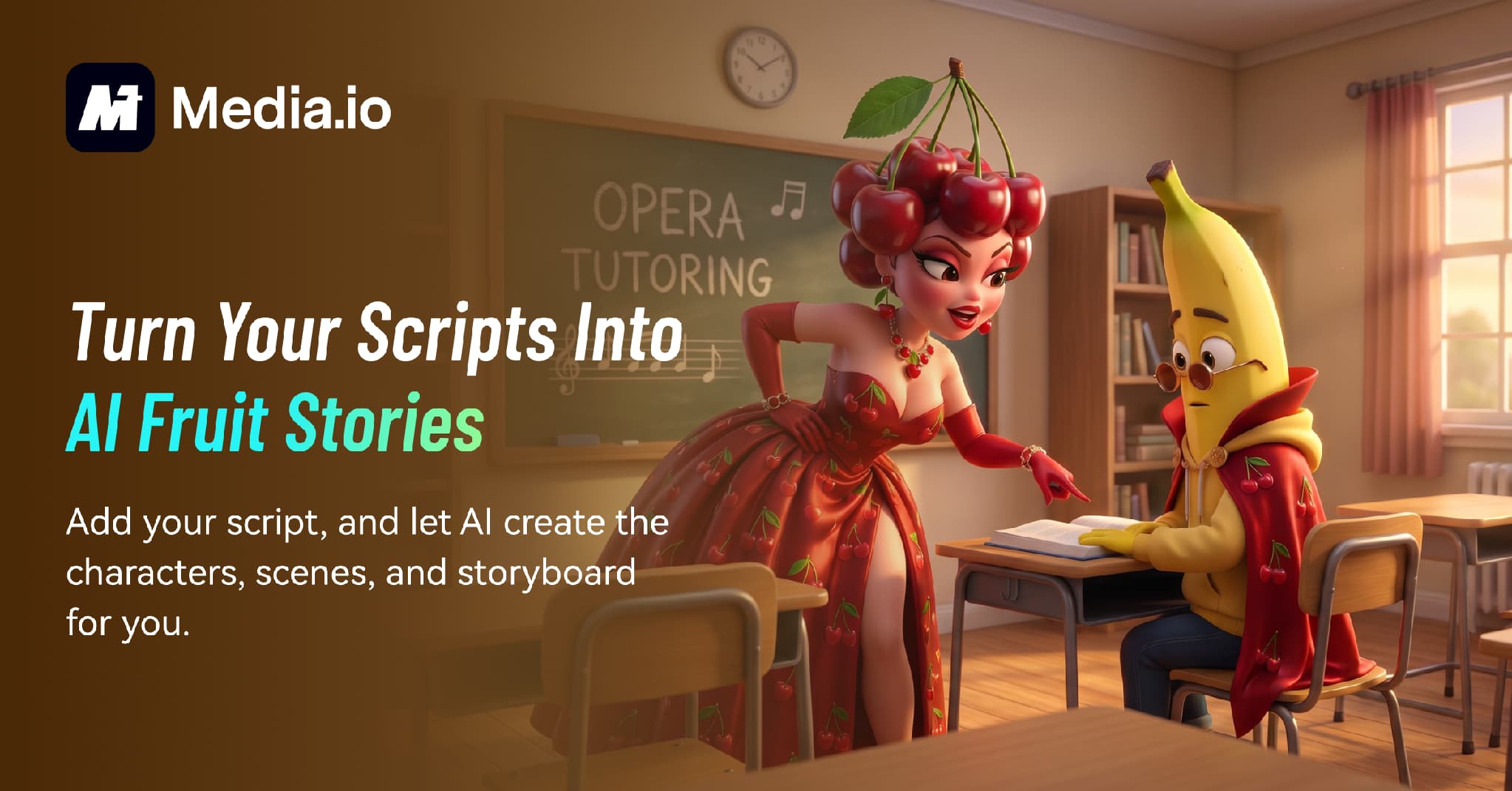
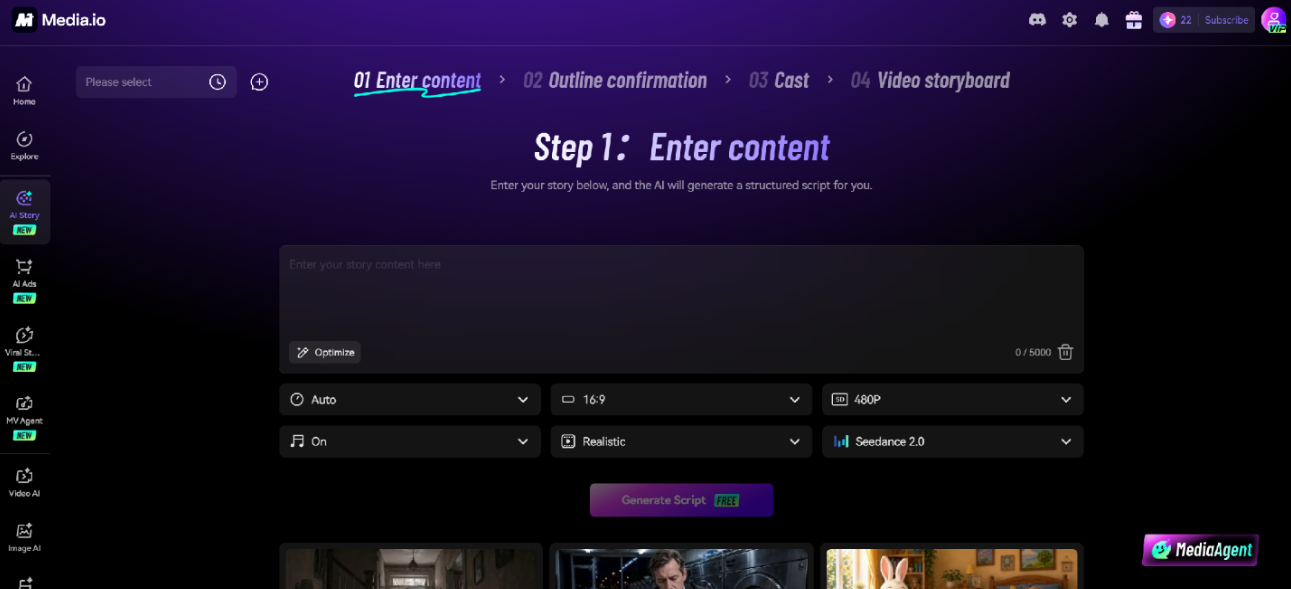
Users can start with an idea or choose from built-in creative styles such as AI Fruit Story and let AI generate a complete story framework, including a title, theme, background, plot, and character setup. From there, the platform helps create the cast, generate visual scenes, organize storyboards, and produce the final video.
Because every stage remains connected, creators can refine their stories naturally without jumping between separate AI applications or rebuilding projects from scratch.
Who Is AI Story Studio Best For?
First-time AI creators can use AI Story Studio to turn ideas into videos without learning professional editing software or writing complex prompts.
Short-form content creators on TikTok, Instagram Reels, and YouTube Shorts can quickly experiment with new storytelling ideas and respond to emerging content trends while they’re still relevant.
Writers and storytellers can transform scripts, short stories, or creative concepts into visual narratives without building animations manually.
Educators and brands can also use AI Story Studio to create engaging educational content, explain complex topics visually, or develop story-driven brand content that captures attention on social media.
How to Create a Story Video with AI Story Studio
Step 1: Choose a Story Style
Open AI Story Studio and browse the available story styles. If you’re creating trending social content, you can select one of the available templates as a starting point instead of building a story from scratch.
Step 2: Review the AI-Generated Story
AI automatically generates the story title, theme, background, and plot. Review the draft, make any adjustments you’d like, and personalize the storyline to match your creative vision before moving forward.
Step 3: Customize Characters and Storyboards
Next, AI Story Studio creates the cast and visual scenes based on your story. You can modify characters, regenerate scenes, or fine-tune the storyboard to improve pacing and maintain visual consistency throughout the video.
Step 4: Generate the Final Video
Once you’re satisfied with the storyboard, generate the final video. The platform combines your story, characters, and scenes into a finished AI-generated video that’s ready to download and share.
Why Does an All-in-One AI Platform Make a Difference?
The biggest advantage of an integrated AI storytelling platform isn’t simply generating videos faster—it’s removing unnecessary friction from the creative process.
Keeping story generation, character creation, storyboard design, and video production together means fewer repetitive prompts, fewer exported files, and fewer opportunities for visual inconsistencies. Instead of managing multiple tools, creators can focus on refining ideas, experimenting with different story directions, and producing content more efficiently.
As AI creation continues to evolve, productivity isn’t determined by how many AI tools you use, but by how easily those tools work together.
Final Thoughts
AI storytelling is becoming one of the most exciting ways to create engaging content for social media, education, and digital marketing. But creating a compelling story shouldn’t require managing half a dozen different applications.
By combining story generation, character creation, storyboard design, and AI video production into one guided experience, Wondershare Media.io’s AI Story Studio makes visual storytelling more accessible to creators of all experience levels. Whether you’re producing your first AI short story or experimenting with your next viral idea, spending less time switching tools means spending more time creating.
Frequently Asked Questions
- Do I need multiple AI tools to create a story video?
Not necessarily. Platforms like Wondershare Media.io combine these steps into a single guided experience, making the process simpler and more efficient.
- Can beginners create AI story videos without editing experience?
Yes. Wondershare Media.io’s AI Story Studio is designed for users of all skill levels. It automatically helps generate story ideas, characters, scenes, and storyboards, allowing beginners to create complete story videos without learning professional video editing software.
- Can I customize the AI-generated story and characters in Wondershare Media.io?
Yes. You can edit the title, plot, characters, scenes, and storyboard before producing the final video. This allows you to keep the AI-generated structure while adding your own creative ideas.
- Why use an all-in-one AI platform instead of separate AI tools?
Using one platform helps reduce repetitive work, keeps characters and story elements consistent, and eliminates the need to move files between multiple applications. This allows creators to spend more time developing ideas and less time managing different AI tools.