




Press play to start listening
Ontinue’s Cyber Defense Center has identified a Python-based implant that keeps most of its command traffic inside Microsoft services, making malicious activity resemble normal Microsoft 365 use.
Tracked as TWINLOOT, the implant was found during an active campaign in July 2026. Its operators use SharePoint Online for instructions and stolen data, Microsoft Teams infrastructure for interactive access, and the victim’s own Edge browser to communicate with Microsoft Graph.
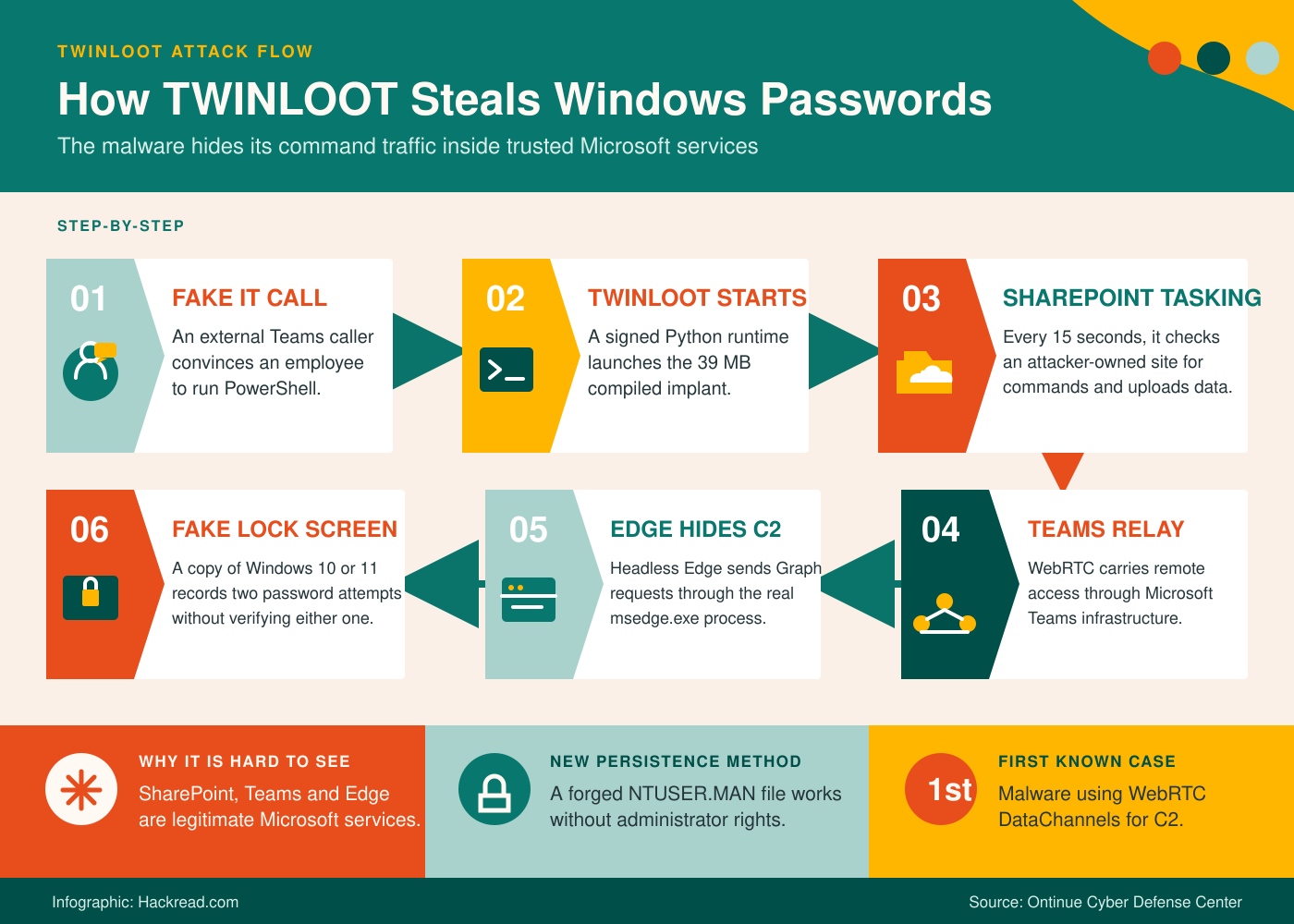
The infection began when someone posing as IT support contacted an employee through Microsoft Teams. The caller persuaded the employee to run a PowerShell command that downloaded an archive containing Python 3.12.9 and a 39 MB compiled payload.
TWINLOOT Hides Its Commands Inside Microsoft Services
For routine tasking, TWINLOOT contacts a SharePoint site hosted in the attacker’s Azure tenant every 15 seconds. Commands, execution results, passwords, and system information are exchanged through files using the Microsoft Graph API.
Because the implant authenticates directly to the attacker’s tenant, its activity does not create sign-in or audit events in the victim organization’s Entra ID records.
When operators need interactive access, TWINLOOT creates a reverse SOCKS5 connection capable of carrying up to 128 simultaneous network streams. It can use this connection to reach internal services such as Remote Desktop, SMB, WinRM, and Microsoft SQL Server.
The stealthier version of that connection runs through Microsoft Teams TURN servers. TURN infrastructure normally relays call traffic when two devices cannot connect directly. TWINLOOT places its SOCKS5 traffic inside WebRTC DataChannels and sends it through a legitimate Teams relay.
According to Ontinue’s report, this is the first known malware to use WebRTC DataChannels for command-and-control. It is also the second known malicious use of Teams TURN relays, following DragonForce’s Backdoor.Turn in June 2026.
By default, TWINLOOT’s primary communication channels end in Microsoft IP space. The implant also retains a direct TLS and WebSocket connection to attacker infrastructure as a fallback.
Edge Browser Carries the Malware’s Graph Traffic
To hide Microsoft Graph requests, TWINLOOT launches Edge in headless mode and controls it through the Chrome DevTools Protocol. The implant opens graph.microsoft.com inside a browser tab and sends requests from the page itself.
Network logs therefore show msedge.exe communicating with Microsoft, not the Python process responsible for the infection. Detection rules watching for Python connections to Graph would miss this traffic.
Fake Windows Lock Screen Collects Passwords
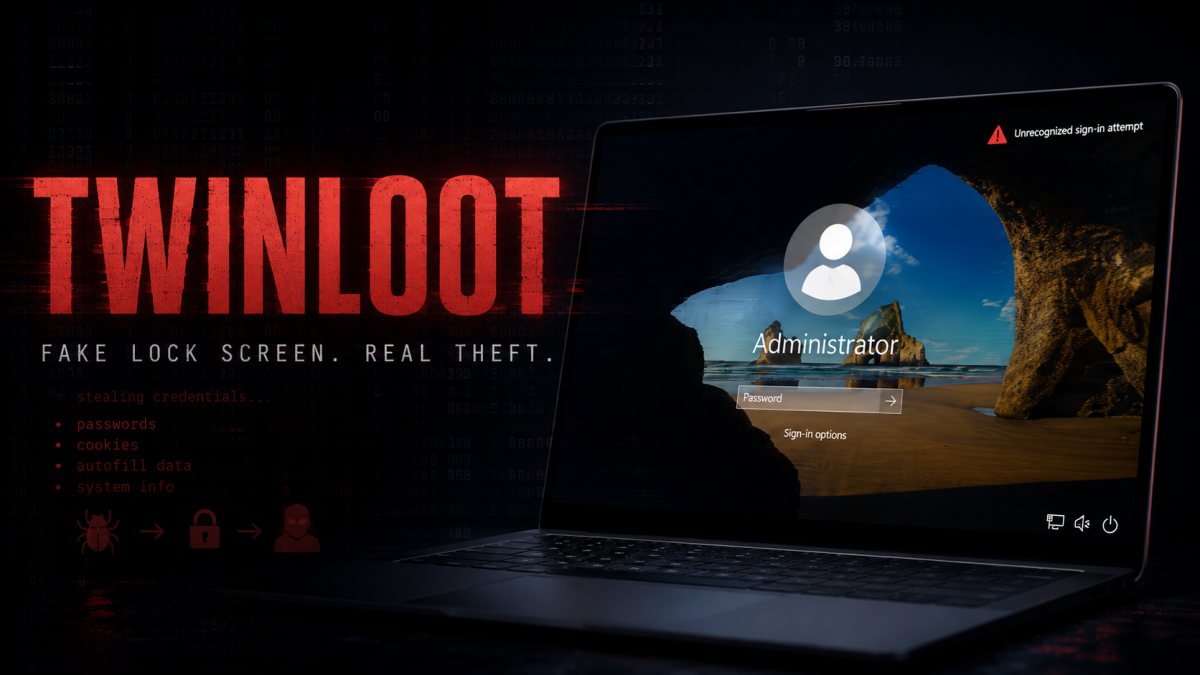
Credential theft begins when TWINLOOT displays a fake Windows 10 or Windows 11 lock screen containing the employee’s real account name, profile picture, and wallpaper.
The fake screen never checks passwords against Windows. Every entry is encrypted and uploaded to SharePoint. After the first attempt, the victim sees an incorrect-password message even if the password was valid. The window closes after the second attempt, giving the operator both entries.
New Persistence Method Requires No Administrator Access
TWINLOOT contains four operator-triggered persistence methods. Automatic persistence was disabled in the analysed build, but Ontinue documented what it described as the first observed malicious use of “Corrupting the Hive Mind” in the wild.
The method creates an NTUSER.MAN mandatory-profile registry hive offline using offreg.dll and RegLoadAppKeyW. Windows checks this file before loading the user’s normal NTUSER.DAT profile.
Because the file is built offline inside the user’s profile directory, the process requires no administrator rights and produces no live registry-modification events. Malicious startup instructions stored inside the file can survive logoff and profile reloads.
Ontinue recovered 115 of approximately 120 PyArmor-protected modules and decrypted the embedded AES-256-GCM configuration. The company found no direct connection to a known threat group.
Robert Coles, senior manager of threat intelligence security at Black Duck, told Hackread.com that organizations should monitor unusual Graph API, SharePoint and Teams activity, browser automation, OAuth applications and consent grants.
“As threat actors increasingly abuse legitimate cloud services, spotting what’s unusual becomes more important than simply blocking what’s known to be bad,” Coles said.