



Press play to start listening
Moving business systems to the cloud can look straightforward from the outside. Choose a provider, transfer the data and start using the new environment. For a small business without a dedicated IT team, however, there can be considerably more to consider.
Applications may depend on one another, employees need continued access to important systems, and security controls have to be configured correctly. There are also questions around backups, permissions, costs and what happens if something does not work as expected after the migration.
Good planning matters because cloud migration is not simply about moving files from one place to another.
What Cloud Migration Actually Involves
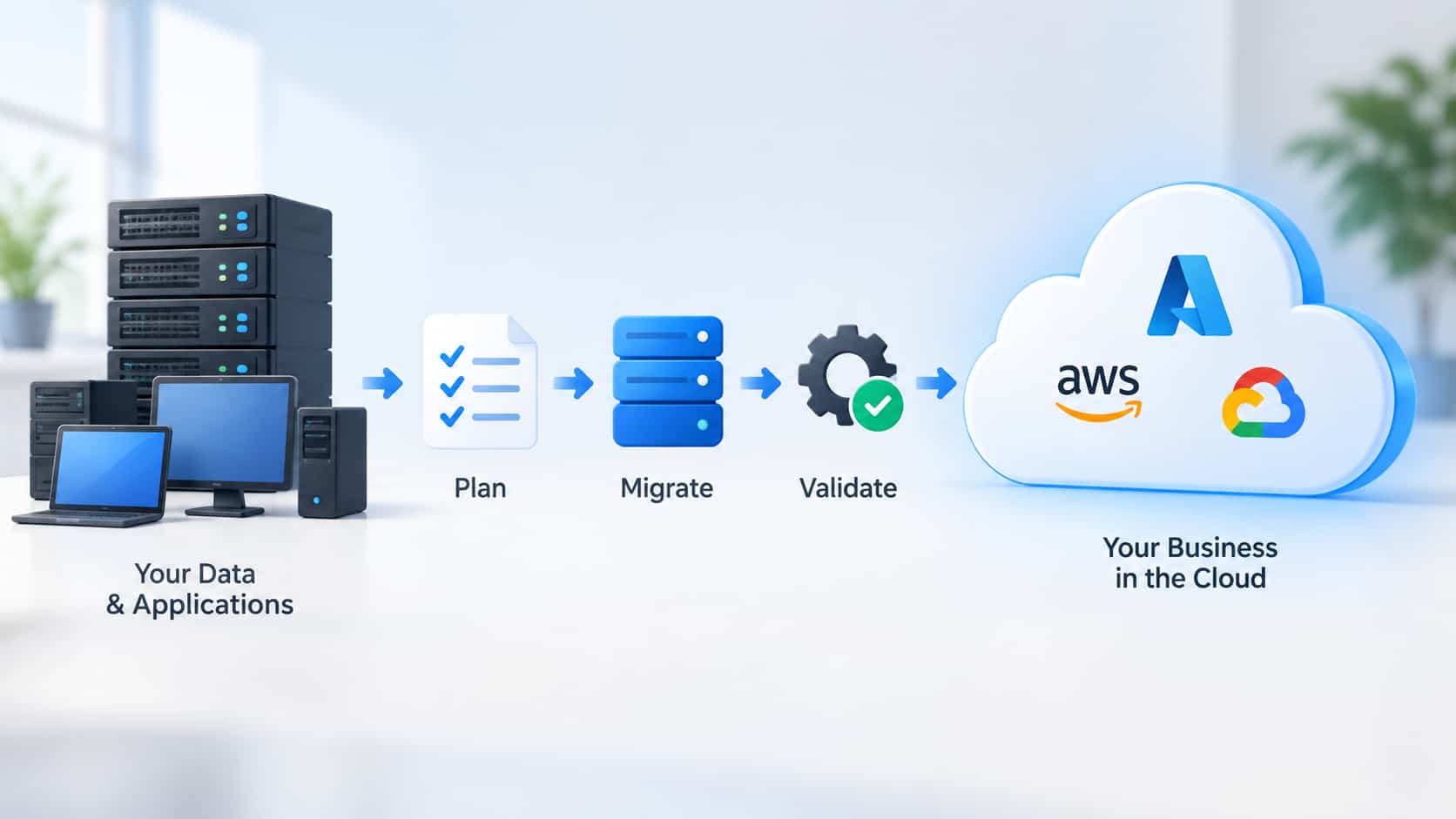
Cloud migration generally involves moving data, applications or workloads from existing infrastructure into cloud-based services. The extent of that move varies between businesses.
Some organizations may move most of their systems away from on-premises servers. Others may keep certain applications or data locally while using cloud services for the rest, creating a hybrid environment.
The appropriate approach depends on what the business already uses and what it needs from the new environment. An application that works well on an existing server, for example, may depend on another system, database or authentication service that also needs to be considered.
Understanding those relationships before anything is moved can help prevent problems later.
Where Cloud Migrations Can Become Complicated
Cybersecurity is an important part of migration, but it is not the only consideration. Businesses also need to think about application dependencies, user permissions, backups, data transfer, downtime and how employees will access systems after the move.
Compatibility can create problems as well. An older business application may not work in the same way in a new environment, while integrations between different systems may need to be reconfigured or tested.
Businesses handling sensitive or regulated information may have additional requirements concerning how information is protected, where it is stored and who is allowed to access it.
There is also the migration itself. Moving a non-essential system can provide more room for disruption than moving email, customer records, accounting software or another service employees depend on throughout the working day. The order in which systems are moved can therefore be as important as the technology being used.
When Outside Expertise Can Help
Not every small business has an internal IT team with experience planning and carrying out cloud migrations. Even when someone manages day-to-day technology, a large infrastructure change may involve systems or security requirements they do not regularly encounter.
Businesses without the necessary expertise internally may choose to use professional IT consulting services in Sydney to assess their existing environment, identify dependencies and plan how systems should be moved.
That assessment can include questions about which applications need to remain available, who requires access, how data will be backed up and recovered, and what should happen if part of the migration has to be rolled back.
Outside assistance is not necessary for every cloud project. A small company moving a limited number of straightforward services may already have the knowledge required internally. The case for additional expertise becomes stronger when several business-critical systems are involved or when downtime, security and compliance requirements leave little room for error.
Cost Is More Than the Migration Bill
Cost is an understandable concern for small businesses considering outside assistance. Professional consulting adds to the initial expense of a cloud migration, and that needs to be included when deciding whether external help is worthwhile.
At the same time, the cost of the cloud environment itself deserves careful planning. Providers may charge according to storage, computing resources, data transfers, additional features or other usage. A configuration that appears inexpensive initially can become more costly if the business is paying for resources it does not need.
Planning can help identify appropriate service levels and determine whether existing applications need to be changed before they are moved.
Operational disruption has a cost too. Unexpected downtime, compatibility work or employees being unable to access important systems can affect normal business activity. Considering those risks beforehand gives the company a clearer picture of the migration’s overall cost rather than focusing only on the provider’s monthly price.
What Should Be Considered Before Moving?
A useful starting point is understanding what the business currently has. That includes its applications, data, servers, integrations and the people who use them.
From there, businesses can identify which systems depend on one another and which services cannot tolerate extended downtime. Backup and recovery requirements should also be considered before migration begins, rather than after something goes wrong.
Security needs similar attention. Access permissions that have accumulated over several years may not make sense in a new environment. A migration can provide an opportunity to review who has access to business information and whether those permissions are still necessary.
Employees are another consideration. If the move changes how people access files, applications or other services, some guidance or training may be required. A technically successful migration can still cause unnecessary disruption if employees do not understand the new setup.
Moving in Stages Can Make Sense
Cloud migration does not always need to happen in a single weekend.
For some businesses, moving systems in stages allows individual applications and workflows to be tested before more important services are transferred. Problems identified during an earlier stage can then be addressed before they affect a larger part of the organization.
A staged approach can also help determine whether the selected cloud services are meeting the business’s requirements before additional workloads are moved.
The appropriate migration strategy will depend on the systems involved. What matters is having a plan for the move, testing the new environment and knowing what to do if part of the process does not work as expected.
Making the Cloud Fit the Business
Cloud services can reduce the need for small businesses to maintain some infrastructure themselves and provide access to computing resources that can be adjusted as requirements change. But moving to the cloud does not automatically solve every IT problem.
Security, compatibility, costs, backups, recovery and normal business operations still need to be considered.
Some small businesses will have the internal expertise to manage that work themselves. Others may benefit from outside assistance, particularly when several important systems are involved. The important part is understanding what needs to move, what depends on it and how the business will continue operating during and after the migration.
(Disclosure: This article was published in collaboration with Cloud Context)