





Press play to start listening
A convincing Amazon Prime phishing attack is using a fake membership payment problem to lead victims through a multi-page website designed to collect their Amazon login, personal information and complete payment card details.
Hackread.com received the phishing email on September 29, 2026, and followed the attack using dummy information to document each stage without providing the operators with genuine credentials or financial data.
The campaign reproduces several parts of Amazon and Prime Video’s branding and takes the victim through a sequence that resembles a legitimate account recovery and billing process.
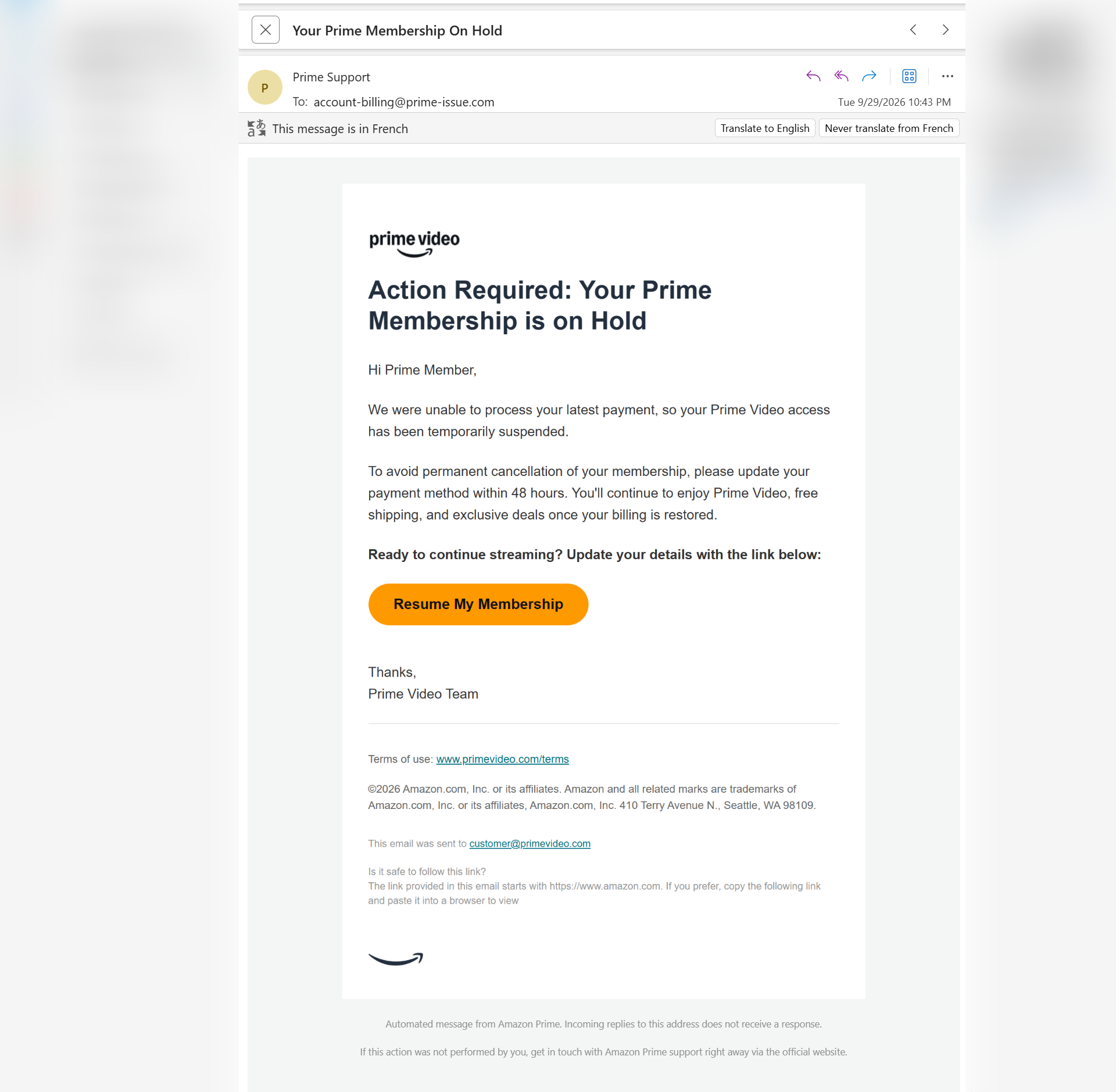
The email begins with a familiar problem for subscription customers: a failed payment. Under the subject “Your Prime Membership On Hold,” it tells the recipient that Amazon was unable to process their latest payment and that Prime Video access has been temporarily suspended.
Victims are then given 48 hours to update their payment method or risk what the email describes as permanent cancellation of the membership. A prominent “Resume My Membership” button directs them away from Amazon and into the phishing site.
Fake Amazon Page Starts the Data Collection
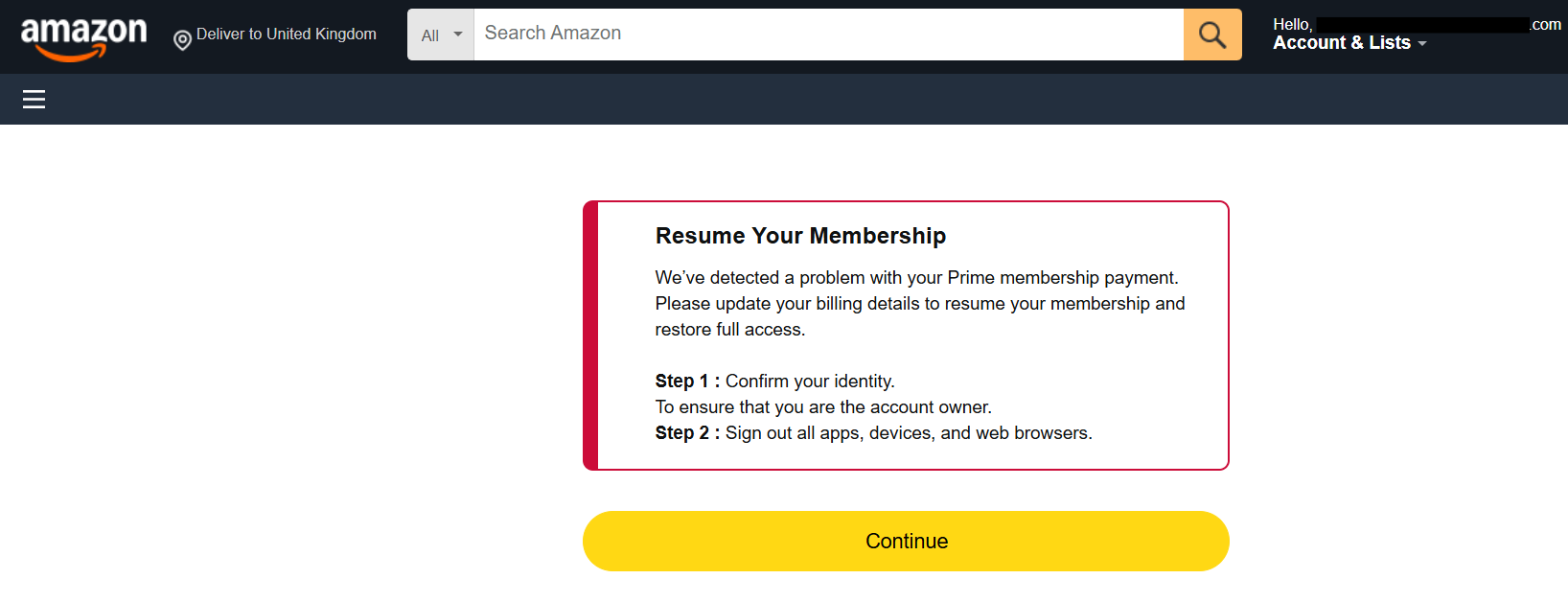
After following the link, the victim arrives at a page designed to resemble Amazon’s website. It claims that a problem has been detected with the Prime membership payment and asks the user to update billing information to restore access.
The page also introduces an unusual two-step process, telling the user to confirm their identity and sign out of apps, devices and web browsers.
Despite Amazon logos, familiar navigation elements and yellow buttons, the browser address bar exposes one of the clearest signs of fraud. The domain visible during Hackread.com’s testing begins with wording resembling primevideo-manage-account-payment but is not an Amazon-owned domain.
That distinction can easily be missed by someone concentrating on the page itself, particularly because the operators have recreated enough of Amazon’s interface to make the surrounding content look familiar.
Phishing Site Asks for Amazon Login
The next stage displays a Prime Video-branded sign-in page asking for an email address or mobile phone number.
After an address is submitted, another page requests the Amazon account password. It includes familiar elements such as “Forgot password?”, Amazon’s Conditions of Use and Privacy Notice links, and the standard yellow sign-in button. The credentials entered into these pages give the operators the victim’s Amazon username and password.
Victims Are Asked for Address, Phone Number and Date of Birth
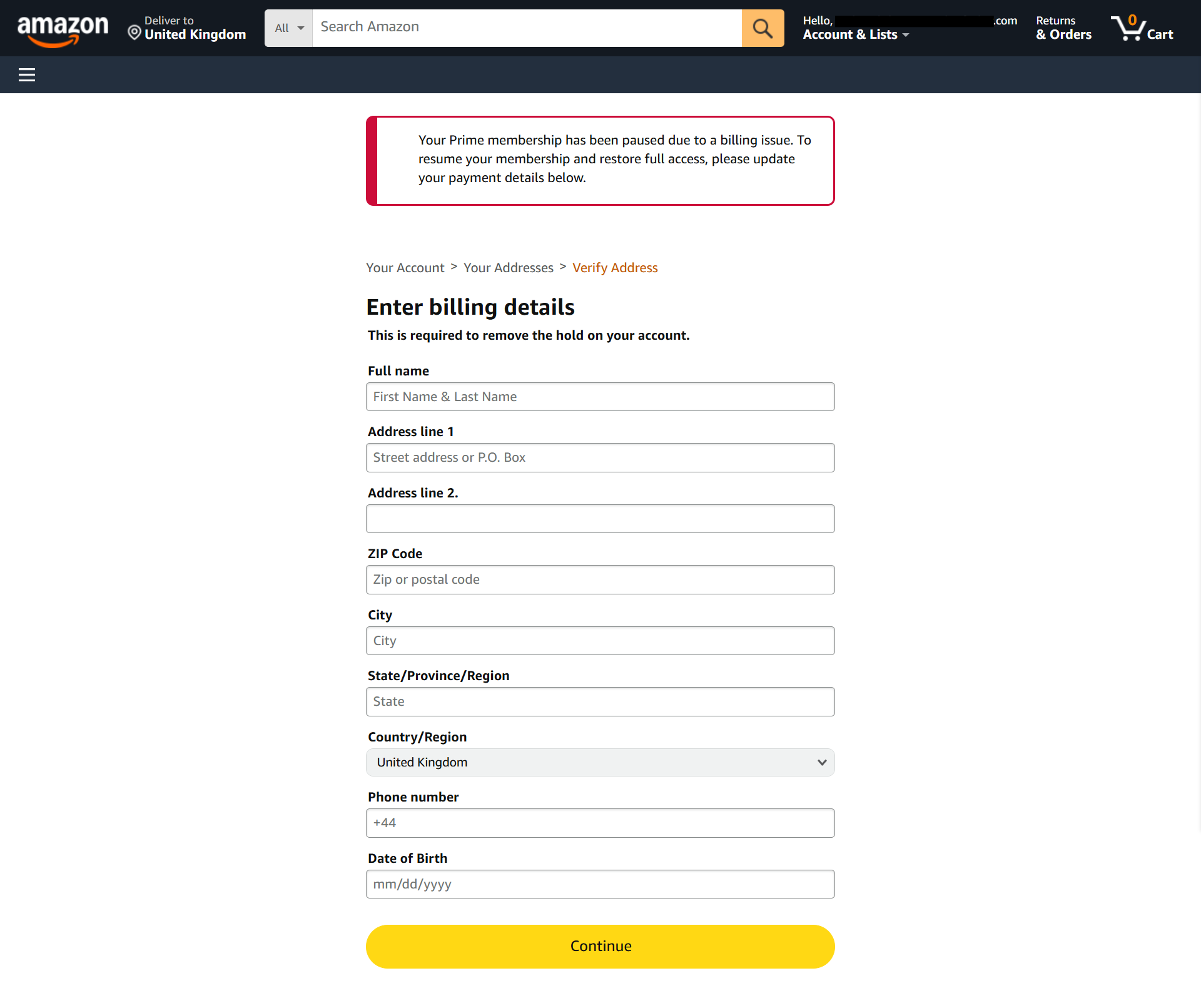
After the login stage, the fake Amazon interface tells the victim that their Prime membership has been paused because of a billing issue.
A form headed “Enter billing details” requests the victim’s full name, street address, ZIP or postal code, city, state or region, country, phone number and date of birth.
Collecting these details alongside account credentials makes the stolen information considerably more useful for fraud. A criminal obtaining the completed form would have identifying information that could be associated with the submitted Amazon credentials and later payment information.
The page shown to Hackread.com was also localized for the United Kingdom, displaying “United Kingdom” as the country and +44 in the phone-number field.
Full Payment Card Details Come Next
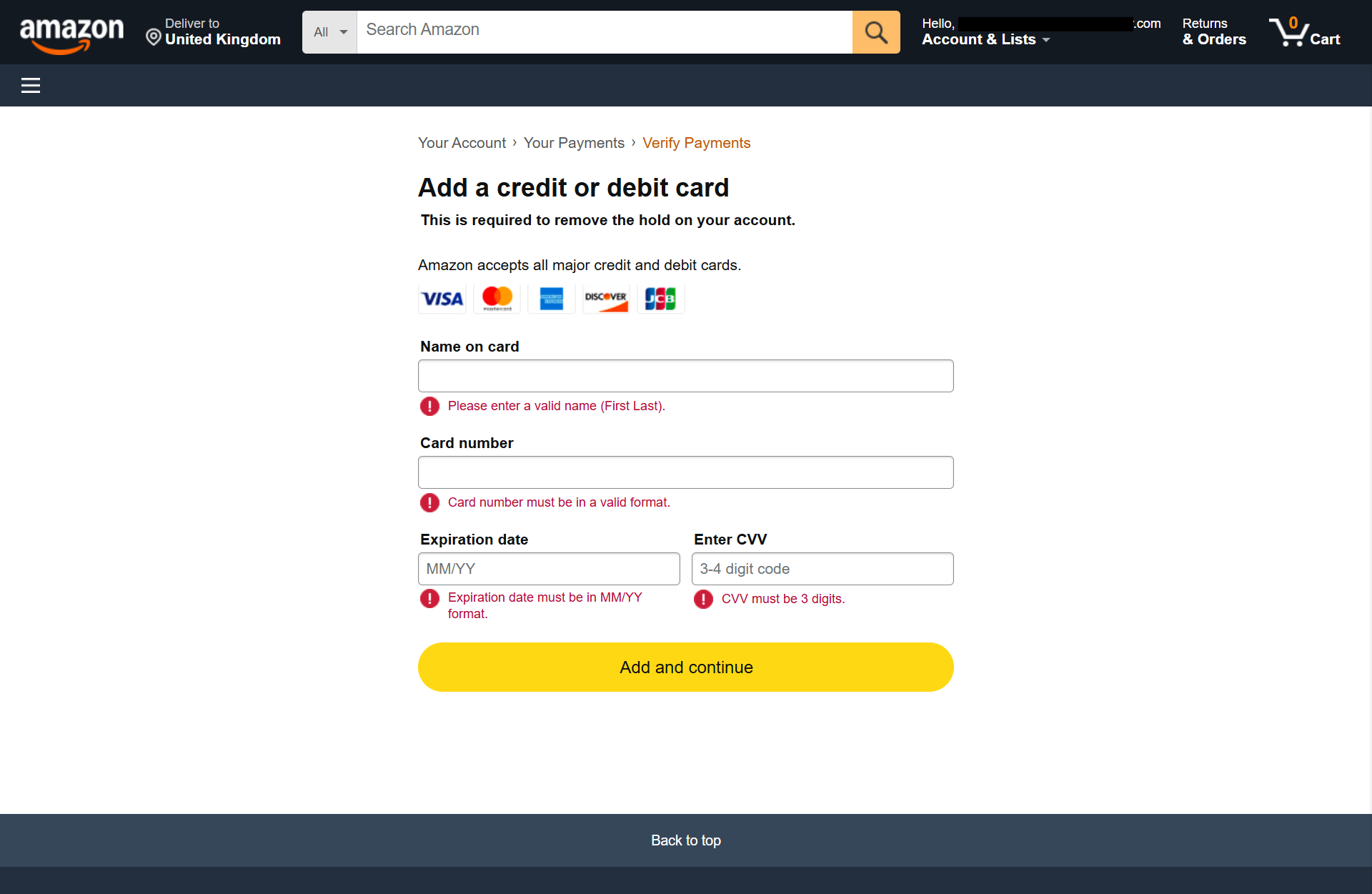
Once the identity form is completed, the victim is taken to another Amazon-themed page headed “Add a credit or debit card.” This stage requests the name on the card, card number, expiration date and CVV. Visa, Mastercard, American Express, Discover and JCB logos appear above the form.
The form also performs input validation, displaying red error messages beneath invalid fields, including warnings about card-number format, expiration date and CVV length. Such validation can make a phishing page feel more authentic while also helping operators obtain data in a usable format.
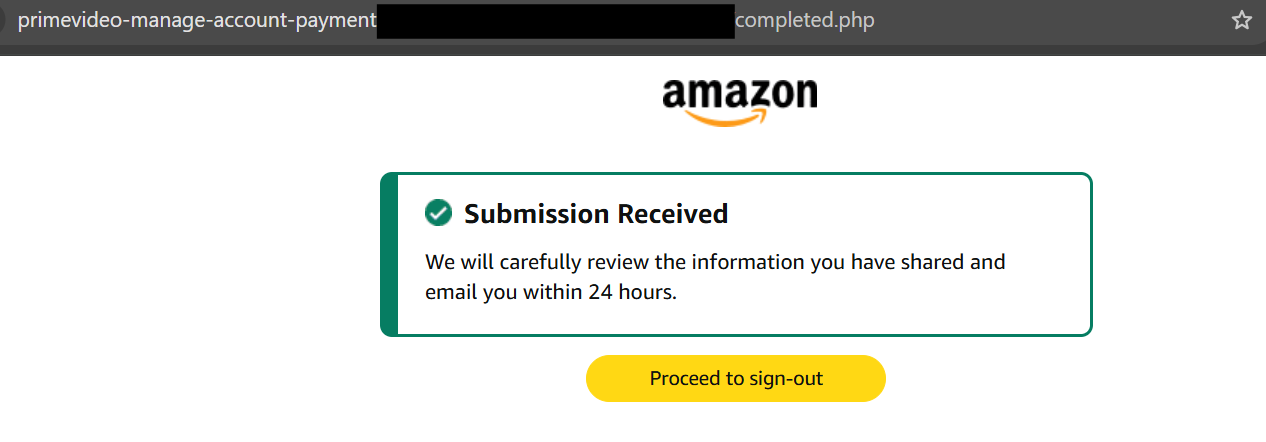
After the information is accepted, the site displays a “Submission Received” page claiming the information will be reviewed and that the victim will receive an email within 24 hours. A “Proceed to sign-out” button continues the appearance of a completed Amazon account-recovery process.
By that stage, however, a victim following the entire sequence may already have submitted their Amazon login, password, name, home address, phone number, date of birth and payment card information.
Amazon Warns About Prime Membership Scams
The technique closely matches a category Amazon itself identifies as Prime Membership scams. Amazon says these scams claim that a membership fee is due or that something is wrong with a membership, then attempt to obtain payment or bank information under the pretext of restoring the service.
Amazon also warns customers about account suspension messages that pressure recipients into following fraudulent links and submitting login credentials or payment information. Genuine Amazon communications can be checked through the Message Center associated with an Amazon account.
The timing is also notable. Amazon recently said reports of email-based impersonation scams increased by 68% per day during the busy 2025 shopping period, with fake account security alerts, suspension notices and login verification requests among the tactics reported to the company.
Amazon this month also introduced additional ways for customers to check suspicious communications. Messages can be forwarded to [email protected], while U.S. customers can also ask Alexa for Shopping whether an email, text or call matches Amazon’s records.
Anyone receiving a Prime payment warning should avoid using links contained in the message and check the membership directly through Amazon’s website or app. Amazon advises customers who have already disclosed account information to change their password, while those who submitted banking information should contact their financial institution and report the scam.