



A new phishing scam is leveraging PayPal’s legitimate invoice system to trick unsuspecting users, even appearing with the coveted “blue tick” verification mark in their inboxes. This sophisticated attack is bypassing traditional email security filters and leaving even tech-savvy individuals confused.
Hackread.com has obtained direct evidence of this escalating threat, confirming that attackers are exploiting PayPal’s own services to send fraudulent money requests, making them appear entirely authentic.
The Deception: Why the Blue Tick is a Lie
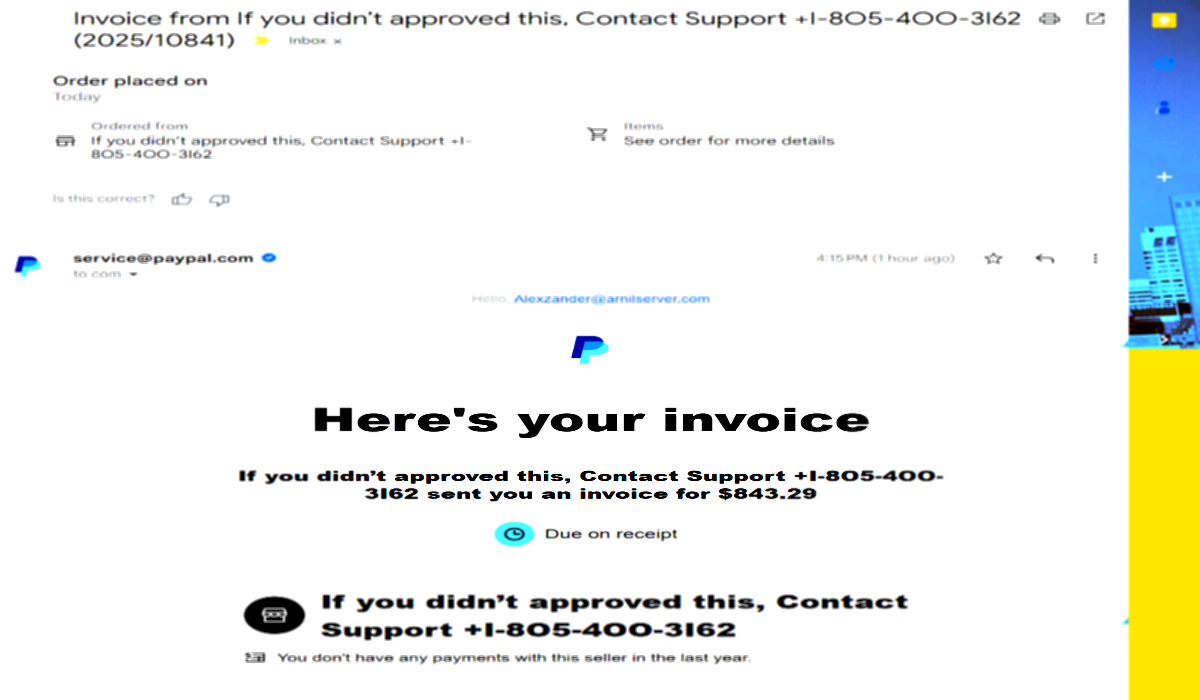
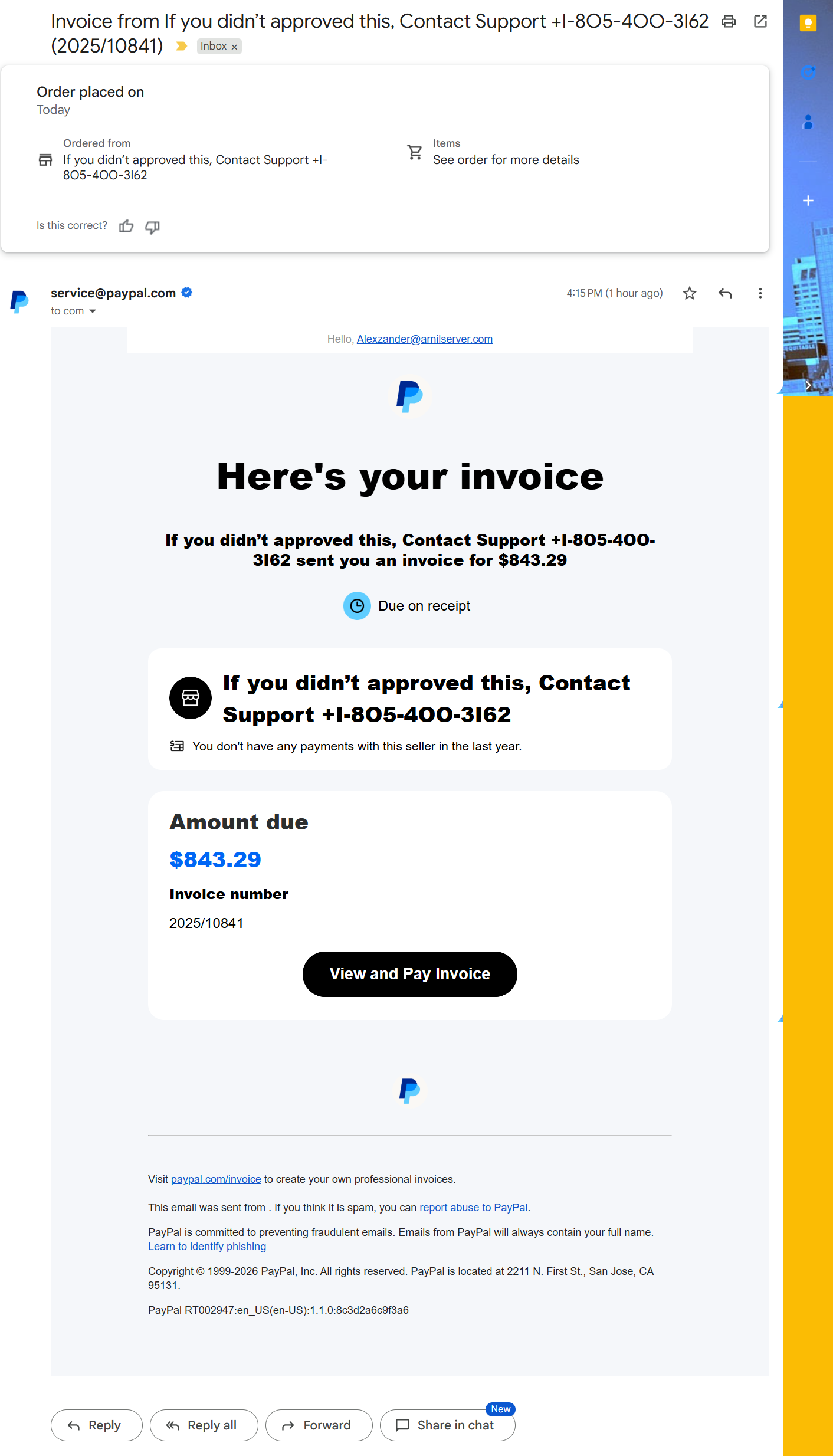
You’ve been taught to look for red flags: spelling errors, suspicious links, and unverified senders. But this scam exploits trust. Earlier today, one of our team members at Hackread.com received an invoice email with a PayPal blue tick, addressed to a completely unknown email: [email protected].” It looked completely legitimate, directly from [email protected], but the content was clearly malicious.
Here’s how this “no-phish” phish works:
- Legitimate Source: Scammers create a legitimate (albeit fraudulent) business account on PayPal.
- Real Invoices: They use PayPal’s actual “Money Request” or “Invoice” feature. Because PayPal itself is sending the email, it passes all authentication checks (SPF, DKIM, DMARC) and earns the “blue tick” (Brand Indicators for Message Identification – BIMI) in your inbox. In this case, the email bypassed the security filters offered by Google Workspace.
- The Hidden Trap: The actual scam isn’t in a malicious link (though a link to a legitimate PayPal invoice is present). Instead, it’s in the “Note to Customer” section of the invoice. Here, scammers insert their messages like: “Your account has been charged $843.29, if you did not approve this, Contact Support
+1-805-400-3162.”
- The Wrong Recipient Trick: By addressing the email to an obscure or group email address (like
[email protected]), the attackers aim to confuse recipients. Users often think, “This isn’t for me, but it’s from PayPal… something is wrong!” This confusion is designed to make you call the fraudulent phone number.
The Real Danger: Call-Back Phishing
This is a straightforward callback phishing attack. The FBI has issued multiple warnings about this tactic. The phone number provided in the invoice note does NOT belong to PayPal. It connects directly to a scam call center. Once on the phone, the scammers will employ social engineering tactics to:
- Gain remote access to your computer (e.g., asking you to install “AnyDesk” or “TeamViewer”).
- Trick you into logging into your bank account or other sensitive financial platforms.
- “Help” you reverse the fraudulent charge, often by making you believe you accidentally transferred too much money, leading them to demand you send them money back.
What You MUST Do to Stay Safe:
- DO NOT Call Any Number in the Email: This is the primary trap. PayPal will never ask you to call a number from an invoice note.
- DO NOT Click Any Links in the Email (Even if they look real): While the link might go to a real PayPal invoice, engaging with it can still lead to confusion.
- Access PayPal Directly: If you receive such an email, immediately open your web browser, type
www.paypal.commanually, and log into your account.
- Check for Pending Requests: Look for any unexpected “Money Requests” or “Invoices” in your PayPal activity. If you find the fraudulent one, do not pay it.
- Report the Fraud: On the legitimate PayPal website, you can usually “Cancel” or “Report” the invoice directly. You should also forward the scam email (as an attachment if possible) to PayPal’s phishing team:
[email protected].
- Educate Others: Warn your friends, family, and colleagues about this evolving threat. The “blue tick” is no longer a guaranteed sign of safety.
PayPal Acted Quickly
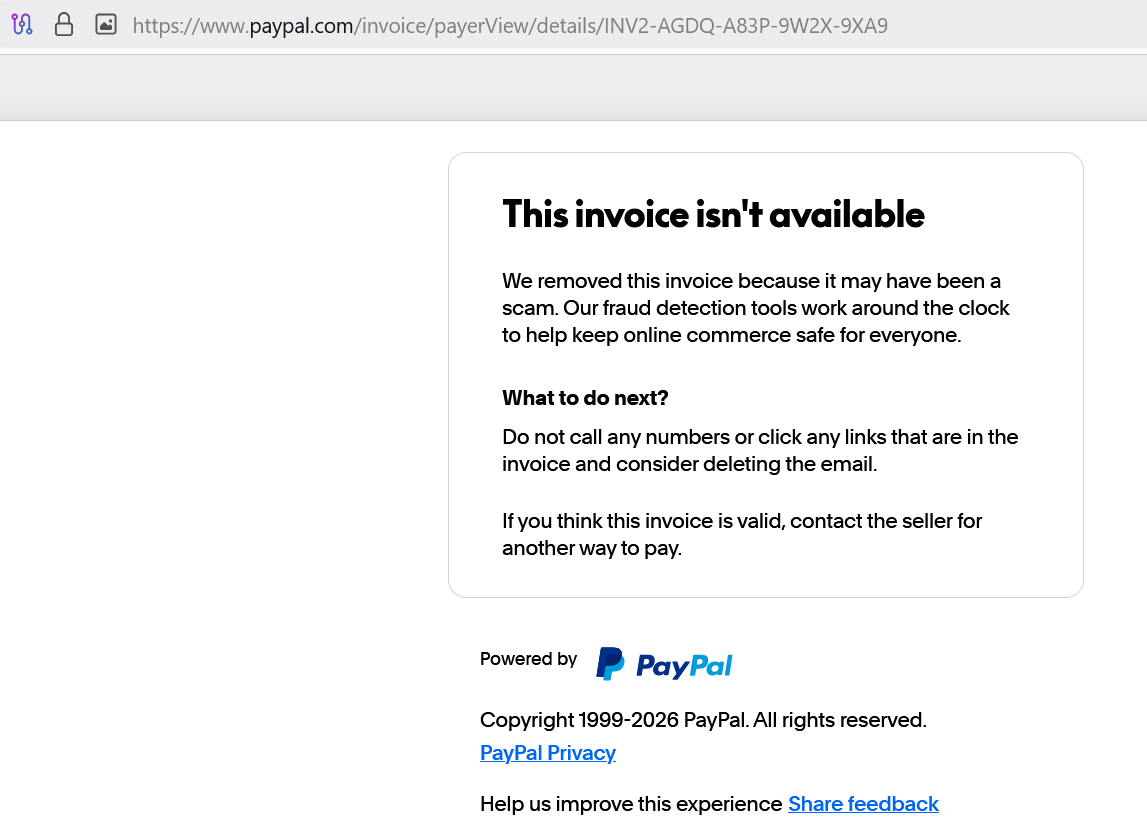
Hackread.com reported the incident to PayPal, which responded within hours by removing the invoice and replacing its content with a scam warning: “We removed this invoice because it may have been a scam. Our fraud detection tools work around the clock to help keep online commerce safe for everyone.”
Yet, this scam goes on to show a growing trend where attackers are finding ways to use legitimate platforms and services to deliver their malicious payloads. Therefore, trust your instincts, and always verify information through official channels, never by clicking links or calling numbers from unexpected emails.


