



Press play to start listening
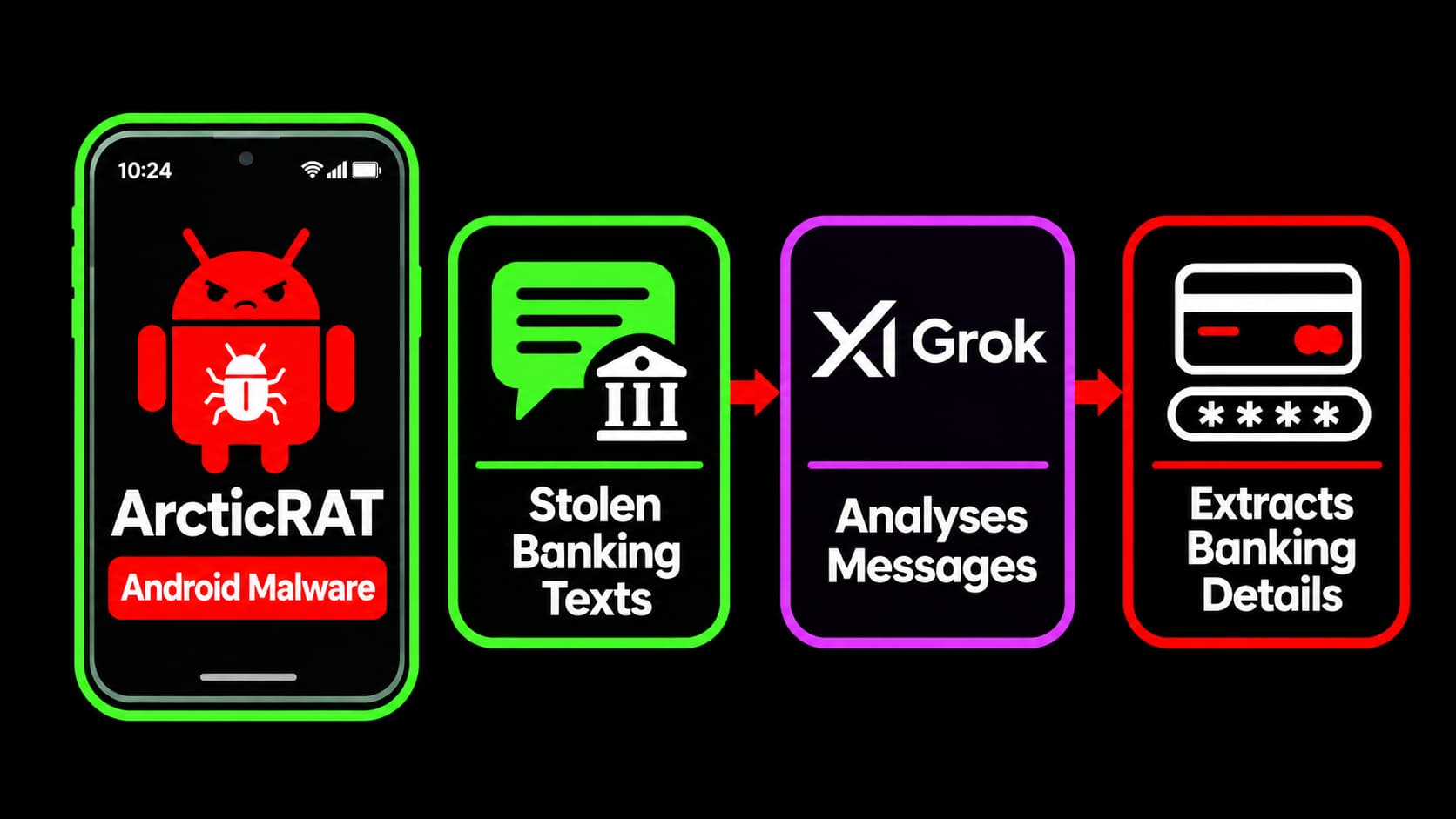
ArcticRAT Android malware can inspect installed apps, sort through SMS alerts and collect financial details, while remote-control features let attackers spy on victims.
ArcticRAT, an Android remote access trojan, now uses AI to analyse stolen text messages and installed app lists for financial information, helping attackers assess their victims’ finances.
Zimperium’s zLabs team documented the malware’s development in a report shared with Hackread.com. Originally aimed at users of 11 cryptocurrency apps, ArcticRAT has since added remote-control features and tools for analysing stolen data.
What’s the role of AI
Researchers first identified the AI feature in samples analysed around mid-July 2026. It uses xAI’s Grok model to identify banking, cryptocurrency and trading apps. A separate prompt filters stolen SMS messages for one-time passwords, balance changes and transfer alerts, then estimates the victim’s financial standing.
The malware then stores the results for retrieval by its operators. The AI analyses information the malware has already stolen. Its assessment does not establish a victim’s actual wealth or give the model direct access to a bank account.
A phone can appear switched off while attackers use it
ArcticRAT can abuse Android Accessibility Services to control apps and interact with the screen. It can also display a black overlay and turn the brightness down, making the phone appear switched off while an attacker continues working in the background. Attackers can move through banking apps, watch screen activity, capture keystrokes and listen through the microphone.
Fake lock screens can trick users into entering their PINs, patterns or passwords. Newer versions also abuse Android’s Wireless Debugging feature, but this requires successful pairing using a six-digit code supplied by the attacker. Once connected, the malware includes commands to remove a screen lock using the stolen credential or set a new code, which could lock the owner out.
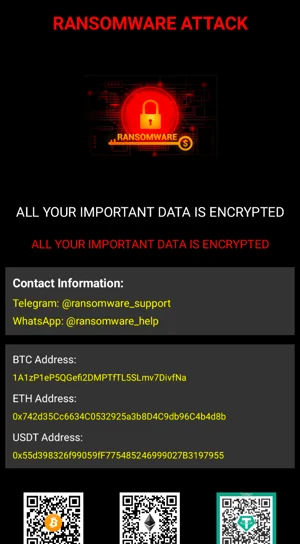
Zimperium’s research also found a fake ransomware screen, but it doesn’t encrypt files and is mainly used to frighten victims into believing their data has been locked. The malware dropper also uses a VPN connection to interfere with Google Play Protect telemetry during installation, making the activity harder to detect.
If you are an Android user, you should install apps through the official Google Play app rather than links in messages or advertisements, and check why an app needs Accessibility access or VPN permissions before granting them.


