



Press play to start listening
Google Ads deliver a tech support scam kit that shows fake security alerts, makes browsers appear locked and targets users across hundreds of organizations.
A tech support scam kit is using Google Ads to deliver fake security alerts that make browsers appear locked while using techniques to evade automated analysis. Netskope Threat Labs observed exposure to the campaign across at least 619 organizations between August 31 and September 14, 2026.
The 619 organizations represent Netskope’s observed exposure, not confirmed victims who lost money or data.
According to the company, about 62% of the organizations were in the United States, followed by Japan at 16% and Australia at 14%. Netskope also identified more than 250 Google Ads campaign IDs across at least 284 legitimate publisher sites and 457 scam hosts.
Mouse Movement Triggers the Scam
The ads appeared through normal advertising inventory on legitimate maps, weather, real-estate, document-hosting, and sports sites. It is worth noting that the publishers were not compromised. Netskope traced most of the traffic to paid Google Ads rather than organic searches, based on Google advertising identifiers found in the URLs.
After clicking an ad, users initially see a loading spinner with “Cancel” and “Continue” buttons before the page turns into an ordinary-looking online store branded “ShopEase.” The kit waits for a mouse movement before activating its hidden code.
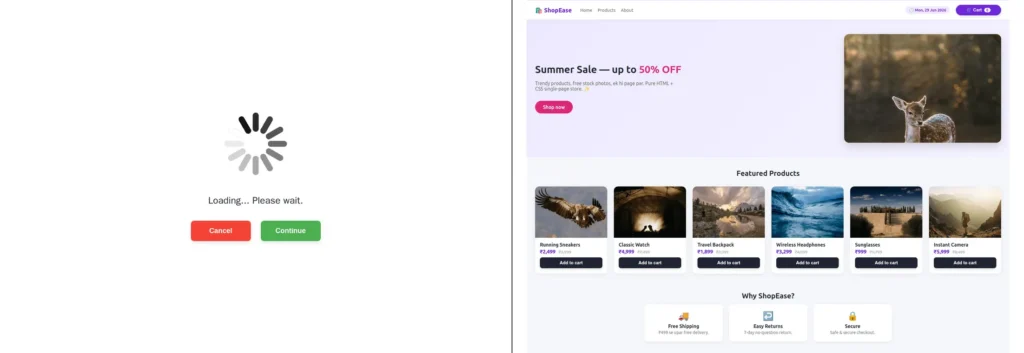
Netskope research revealed that this works as a filter because automated scanners and crawlers may not generate genuine mouse movement. Once triggered, the kit runs two decryption stages. It first recovers a hidden command-and-control (C2) address, then retrieves and decrypts a Windows or macOS version of the fake security locker.
The decrypted locker is assembled inside browser memory instead of being downloaded as an inspectable file. If the C2 is unavailable or decryption fails, the page remains on the storefront.
Fake Alerts Make the Browser Appear Locked
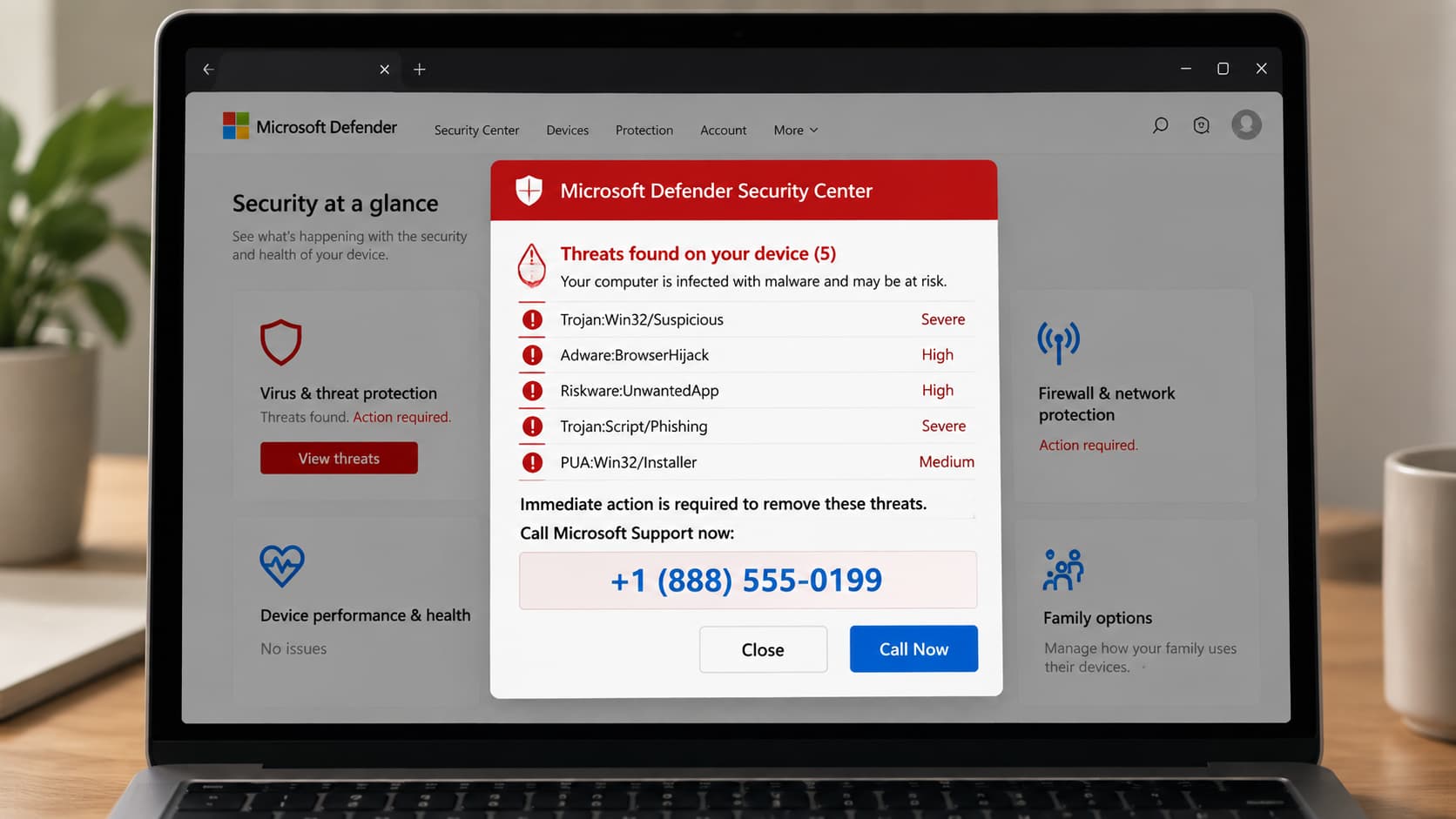
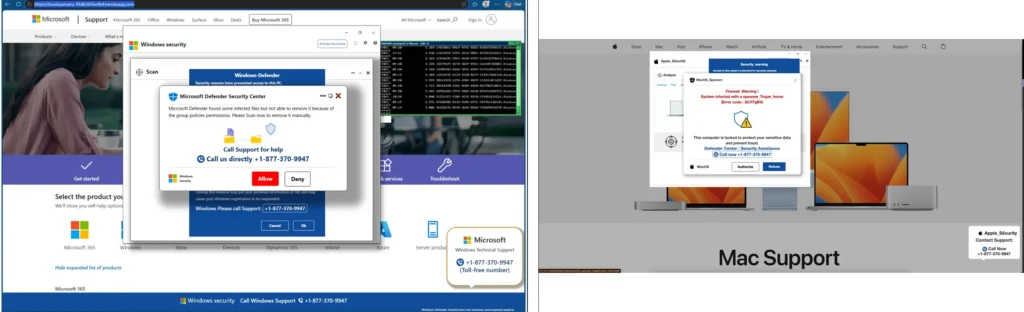
On Windows, the locker imitates Microsoft Defender and displays a fake “Microsoft Defender Security Center” scan claiming the computer is infected. The macOS version uses a fake Apple storefront. Both display a support number and pressure users into calling it.
“The locker fills the screen, hides the cursor, swallows the usual exit keys, and lags the browser,” Netskope Threat Labs noted in the blog post shared with Hackread.com, describing how the browser-based scam creates the appearance of a serious computer problem.
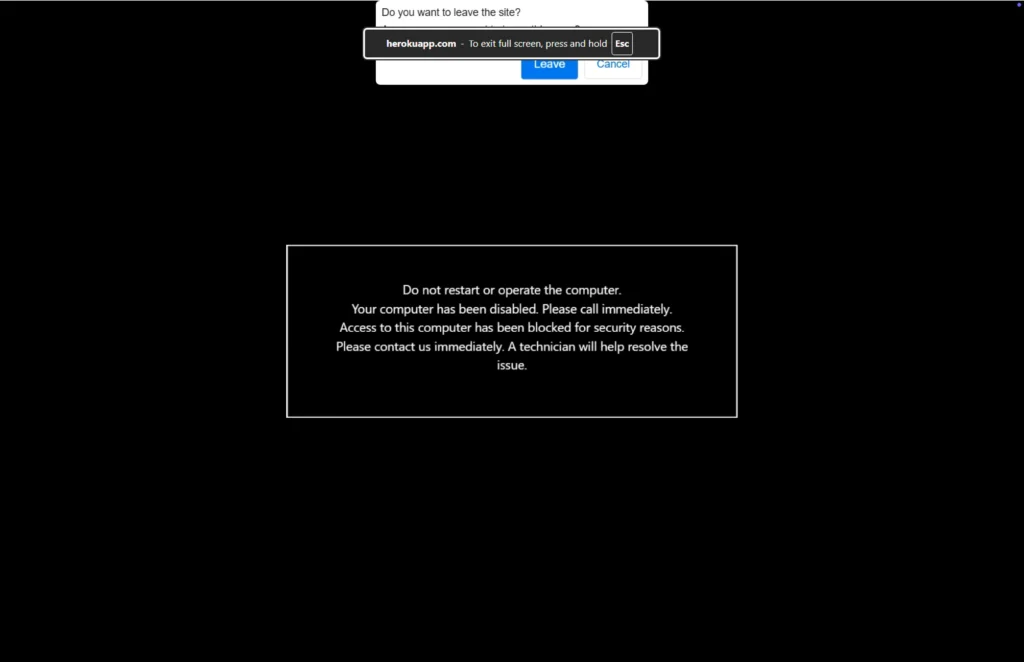
The first click puts the browser into full-screen mode, removing the address bar and tabs from view. At the same time, the cursor disappears and the keyboard-lock API interferes with shortcuts such as Escape.
Additionally, alert sounds and busy loops make the browser difficult to use, while a black warning urges users not to operate or restart the computer and to call the displayed number immediately. Despite the appearance, the computer itself is not locked and operating-system controls remain available
Netskope also noted similarities with CypherLoc, a scareware campaign Barracuda reported in May. CypherLoc used encrypted code and browser controls to display convincing fake security alerts.
Staying Safe
Anyone who encounters the fake alert should not call the number shown on the screen. Netskope suggests holding down Escape for a few seconds to release the browser from full-screen mode. The tab can then be closed.
If the browser remains stuck, Windows users can use Task Manager, while Mac users can use Force Quit. Netskope also advises reopening the browser without restoring the previous session.